iPTV Pro电视版支持安卓手机及电视盒子TV版本,该版本已解除专业版功能限制,只需导入直播源,即可观看各类频道资源。小编在此详细介绍了操作步骤,建议大家仔细阅读,堪称影视直播的高效工具,支持无限添加,无广告干扰,有需要的朋友欢迎下载体验!
iPTV Pro即交互式网络电视,是一种结合宽带网络、互联网、多媒体和通信技术的创新服务,为家庭用户提供了包括数字电视在内的多种互动服务。它能够很好地适应当前网络快速发展的趋势,充分有效地利用网络资源。您可以通过互联网服务提供商收看iPTV,或从网络上的其他来源观看免费的直播电视频道。
电视频道的网格、列表或图块视图
支持XMLTV和JTV格式的EPG
支持M3U和XSPF播放列表
播放列表历史记录
使用UDP代理播放多播流(需在本地局域网中安装代理)
解锁专业版与免费版的区别
无广告
扩展的播放列表历史
全球定制资源,涵盖所有国家,包括中国各大卫视,高清画质一应俱全
适用于手机、电视、大屏设备、机顶盒等
在意外断开连接时可自动重新连接至流服务器(仅限HTTP流)
可在设备启动选项中启动应用,对机顶盒非常有用
自动播放最后一个频道
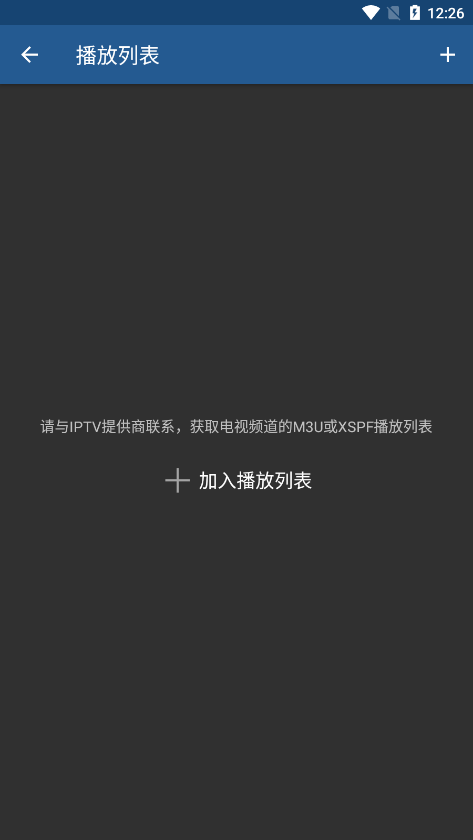
iPTV Pro如何添加直播源
1、安卓手机
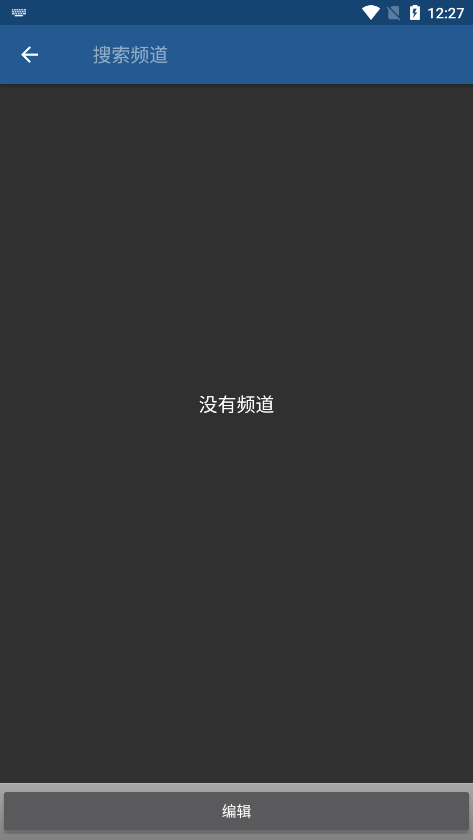
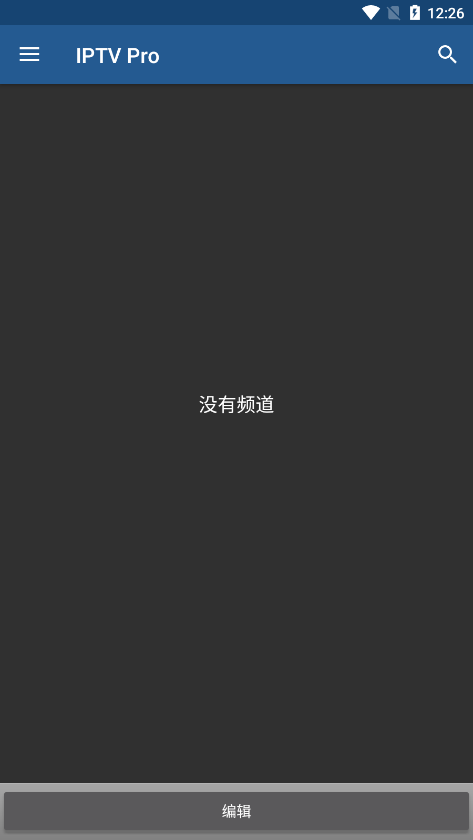
进入应用,点击底部编辑;
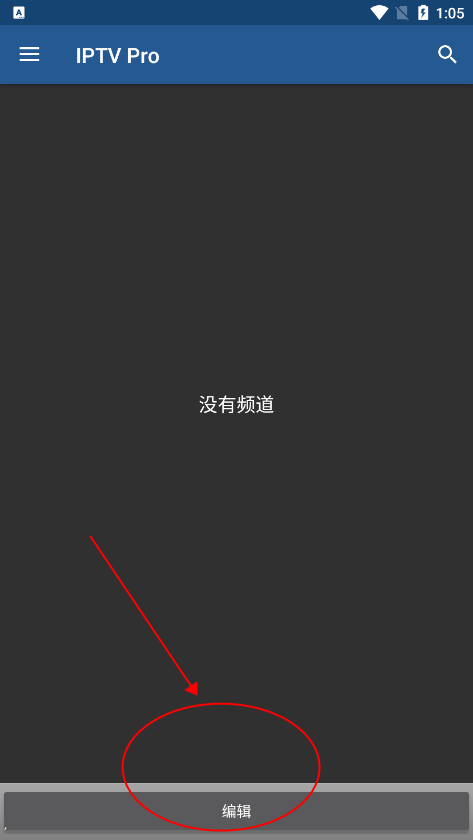
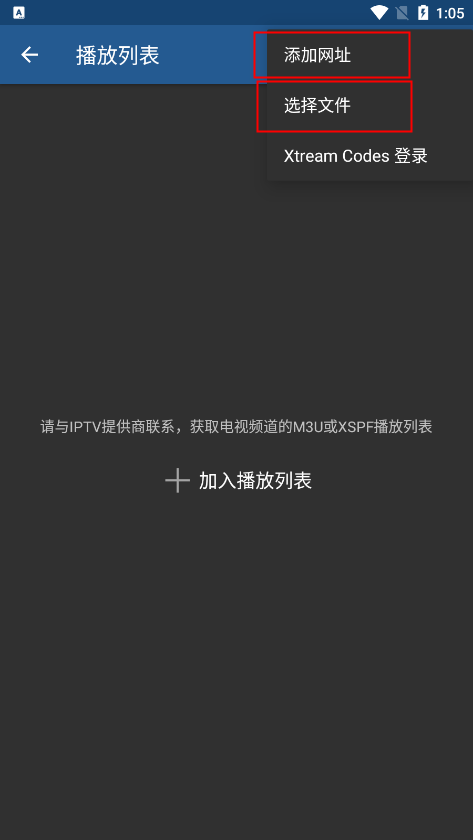
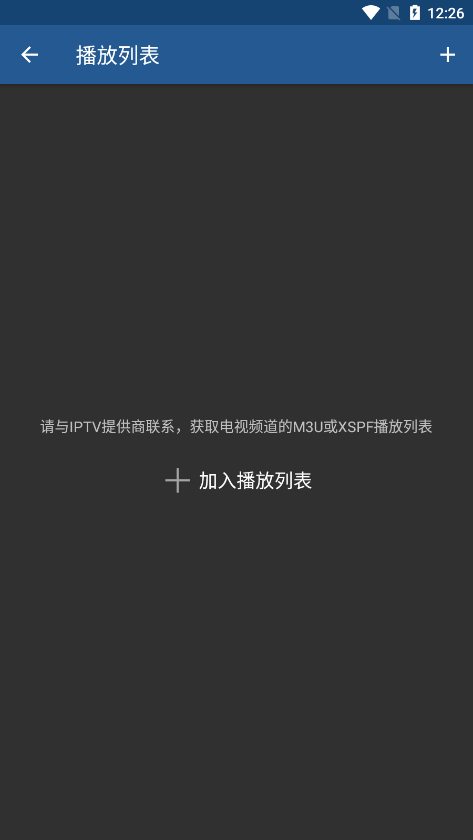
在编辑页面,选择网址或文件;
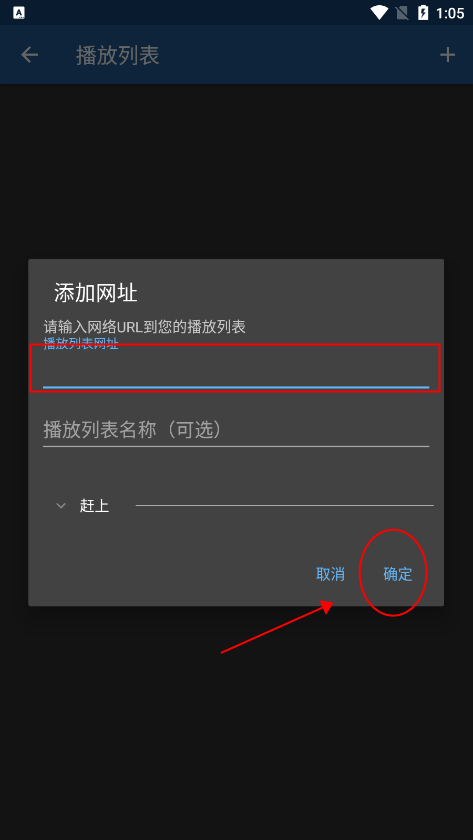
如选择网址,在添加页面输入网址,点击确认即可获取频道。
2、苹果手机
打开苹果手机的App Store,搜索“SPlayer”,选择免费版本下载安装;
点击“直播源”,选择“拷贝到‘SPlayer’”即可完成导入!
3、电视盒子
盒子或智能电视可通过蓝牙将M3U直播源传输过去,找到蓝牙文件夹Bluetooth并导入直播源即可。
部分设备支持通过U盘拷贝至电视或盒子,用遥控器打开M3U格式直播源,选择IPTVPro打开即可。
https://www.goodiptv.club/bililive.m3u bilibili直播
https://mirror.ghproxy.com/https://raw.githubusercontent.com/Ftindy/IPTV-URL/main/cqyx.m3u CQYX源
https://mirror.ghproxy.com/https://raw.githubusercontent.com/Ftindy/IPTV-URL/main/yqgd.m3u YQGD源
https://mirror.ghproxy.com/https://raw.githubusercontent.com/Ftindy/IPTV-URL/main/IPTV.m3u 4K/8K源
https://mirror.ghproxy.com/https://raw.githubusercontent.com/Ftindy/IPTV-URL/main/hbgd.m3u HBGD源
https://mirror.ghproxy.com/https://raw.githubusercontent.com/Ftindy/IPTV-URL/main/msp.m3u MSP源
https://goodiptv.vercel.app/huyayqk.m3u 虎牙一起看
https://goodiptv.vercel.app/douyuyqk.m3u 斗鱼一起看
https://goodiptv.vercel.app/yylunbo.m3u?url=https://myvercel-iota.vercel.app YY轮播
https://raw.githubusercontent.com/BigBigGrandG/IPTV-URL/release/Gather.m3u BigBigGrandG源
https://mirror.ghproxy.com/https://raw.githubusercontent.com/Kimentanm/aptv/master/m3u/iptv.m3u APTV IPv6
https://mirror.ghproxy.com/https://raw.githubusercontent.com/Kimentanm/aptv/master/m3u/aptv-playback.m3u APTV 回放测试源
https://mirror.ghproxy.com/https://raw.githubusercontent.com/Kimentanm/aptv/master/m3u/ya.m3u APTV 虎牙
https://mirror.ghproxy.com/https://raw.githubusercontent.com/YanG-1989/m3u/main/Gather.m3u YanG Gather
https://mirror.ghproxy.com/https://raw.githubusercontent.com/YanG-1989/m3u/main/yu.m3u YanG 斗鱼
https://mirror.ghproxy.com/https://raw.githubusercontent.com/YueChan/Live/main/IPTV.m3u YueChan IPv6
https://mirror.ghproxy.com/https://raw.githubusercontent.com/YueChan/Live/main/Radio.m3u YueChan Radio
https://mirror.ghproxy.com/https://raw.githubusercontent.com/zhanghongguang/zhanghongguang.github.io/main/IPV6_IPTV.m3u ZHG IPv6
https://mirror.ghproxy.com/https://raw.githubusercontent.com/zhanghongguang/zhanghongguang.github.io/main/playlist.m3u ZHG Playlist
https://mirror.ghproxy.com/https://raw.githubusercontent.com/zhanghongguang/zhanghongguang.github.io/main/CNTV.m3u ZHG CNTV
https://mirror.ghproxy.com/https://raw.githubusercontent.com/zhanghongguang/zhanghongguang.github.io/main/SamsungTVPlus.m3u ZHG SamsungTVPlus
https://mirror.ghproxy.com/https://raw.githubusercontent.com/zhanghongguang/zhanghongguang.github.io/main/EdemTV.m3u ZHG EdemTV
https://mirror.ghproxy.com/https://raw.githubusercontent.com/whpsky/iptv/main/IPTV-IPV6.m3u whpsky-IPV6
https://mirror.ghproxy.com/https://raw.githubusercontent.com/whpsky/iptv/main/chinatv.m3u whpsky-ChinaTVM3u
https://mirror.ghproxy.com/https://raw.githubusercontent.com/whpsky/iptv/main/chinatv.txt whpsky-ChinaTVTxt
https://mirror.ghproxy.com/https://raw.githubusercontent.com/zbefine/iptv/main/iptv.m3u zbefine-m3u
https://mirror.ghproxy.com/https://raw.githubusercontent.com/zbefine/iptv/main/iptv.txt zbefine-txt
https://mirror.ghproxy.com/https://raw.githubusercontent.com/vamoschuck/TV/main/M3U 茶客
https://mirror.ghproxy.com/https://raw.githubusercontent.com/wuyun999/wuyun/main/zb/aptv.txt 乌云
https://mirror.ghproxy.com/https://raw.githubusercontent.com/hussobaba/AILE-Tv/main/TEBER_TV.m3u AILE-TV
https://mirror.ghproxy.com/https://raw.githubusercontent.com/goolguy007/radioer/main/TVradio TVradio
https://epg.pw/test_channels.m3u epg.pw 中国地区可观看
https://epg .pw/test_channels_banned_cn.m3u epg.pw 海外地区可观看
https://epg.pw/test_channels_unknown.m3u epg.pw 未添加EPG的大杂烩直播源
https://epg.pw/test_channel_page.html?lang=zh-hant epg.pw 直播源按分类列表
https://epg.112114.xyz/pp.xml
http://epg.51zmt.top:8000/e.xml
http://epg.aptvapp.com/xml
https://epg.pw/xmltv.html?lang=zh-hant
备注
请先配置好代理再添加订阅,否则可能出现解析错误
若播放无画面,请检查您的网络是否支持IPv6
感谢国外XDA论坛开发者的修改与分享,其特点如下:
不需要root权限或Lucky Patcher或Google Play Modded;
移除了不必要的权限 + 接收者 + 提供者 + 服务;
优化图形并清理资源以实现更快加载;
删除了广告链接并调用了无效方法;
禁用了促销VPN;
禁用了残疾人促销测验;
禁用了残疾人促销;
支持完整的多语言;
CPU架构:armeabi、armeabi-v7a、arm64-v8a、x86、x86_64、mips、mips64;
屏幕DPI:160dpi、240dpi、320dpi、480dpi、640dpi;
原始签名已更改;
运行系统要求:Android 7.0+;
已禁用Google Play商店安装包检查;
删除了调试代码;
移除了对应java文件的默认.source标签名称;
禁用了分析 / Crashlytics / Firebase;
支持AOSP兼容模式;
更新功能已禁用;
视频播放器的新设置菜单
改进的EPG加载
印尼语翻译
错误修复与稳定性提升

40.5M

10.1M

998K

34.8M

15.6M

12.4M

27.5M

54.1M

49.8M

883.6M

100.8M

181.4M

362.7M

855.8M

88.3M
弘学教育app
办公学习
ai绘画鱼最新版
系统工具
抚州环保用电软件
办公学习
切割大师app
系统工具
博联微物联app
办公学习
宜兴政企通企业版app
办公学习
玩皮语音包app
其它软件
快速充电加速app
系统工具
智能课堂+客户端
办公学习
pk手游盒子
其它软件